Useful Words: a bilingual companion for the moment a sentence stalls.
A bilingual writing tool that indexes words by the move a writer is making, not the letter it starts with. Three rebuilds over eight years, from a 2018 desktop app to the phone where the writing actually happens.
A student would be halfway through a sentence, then stop.
They had the idea. They lost the connector, and hunting for it broke the sentence.
So the student would leave the document, open a dictionary or a translation app, and look. By the time they came back, the sentence had gone cold. I watched it happen for years, in classroom after classroom of teenagers writing in a second language, and later with students drafting for proficiency exams.
A dictionary explains the word you already have.
A dictionary is indexed by spelling toward meaning; a writer stuck mid-sentence already has the meaning and needs the move.
A learner stuck mid-sentence is asking something a dictionary cannot hear: how do I get from this idea to the next?
What they were missing was the vocabulary of moves: the connectors and transitions and set phrases that hold a piece of writing together. Nothing they had was organized that way. So the question I started with was whether you could index words by what a writer is trying to do, rather than by how those words are spelled.
I built every version of it myself.
Three rebuilds, no team. That limit is why it stayed this specific to the students in front of me.
- Observed learners stall mid-sentence, in class, while drafting.
- Interviewed students about where the writing broke down.
- Curated the word lists from my teaching materials, later grounded in Cambridge exam materials.
- Designed and built each version, from a 2018 desktop app to the current site.
- Tested with my own students and folded what I saw back in.
I indexed the words by the move a writer makes.
Group words by the job they do, and a learner finds a phrase by function instead of guessing its first letter.
The first version, in 2018, was a set of lists grouped by what a writer was trying to do. One for placing things in time: as soon as, by the time, meanwhile, eventually, prior to. Others for adding, contrasting, concluding.
The 2026 version keeps that backbone and layers on eight academic topic areas, so a student writing about one finds the topic vocabulary and the connectors in the same place, in either language.
add
furthermore
in addition
moreover
contrast
however
whereas
even so
sequence
as soon as
meanwhile
eventually
conclude
therefore
in short
to sum up
The interface had to disappear behind the word.
One test for every screen decision: a student finds the word without reading an interface first.
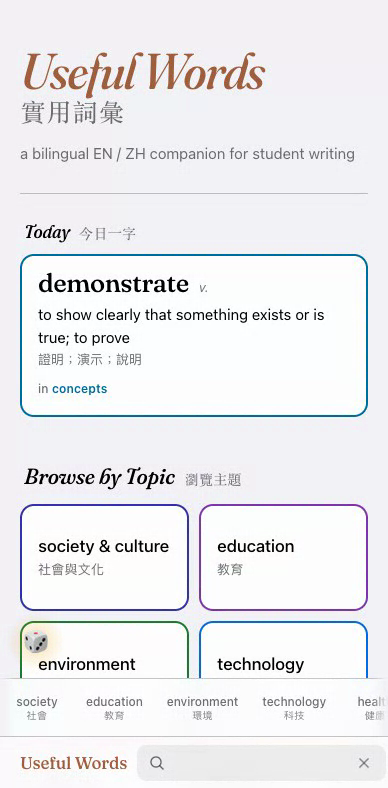
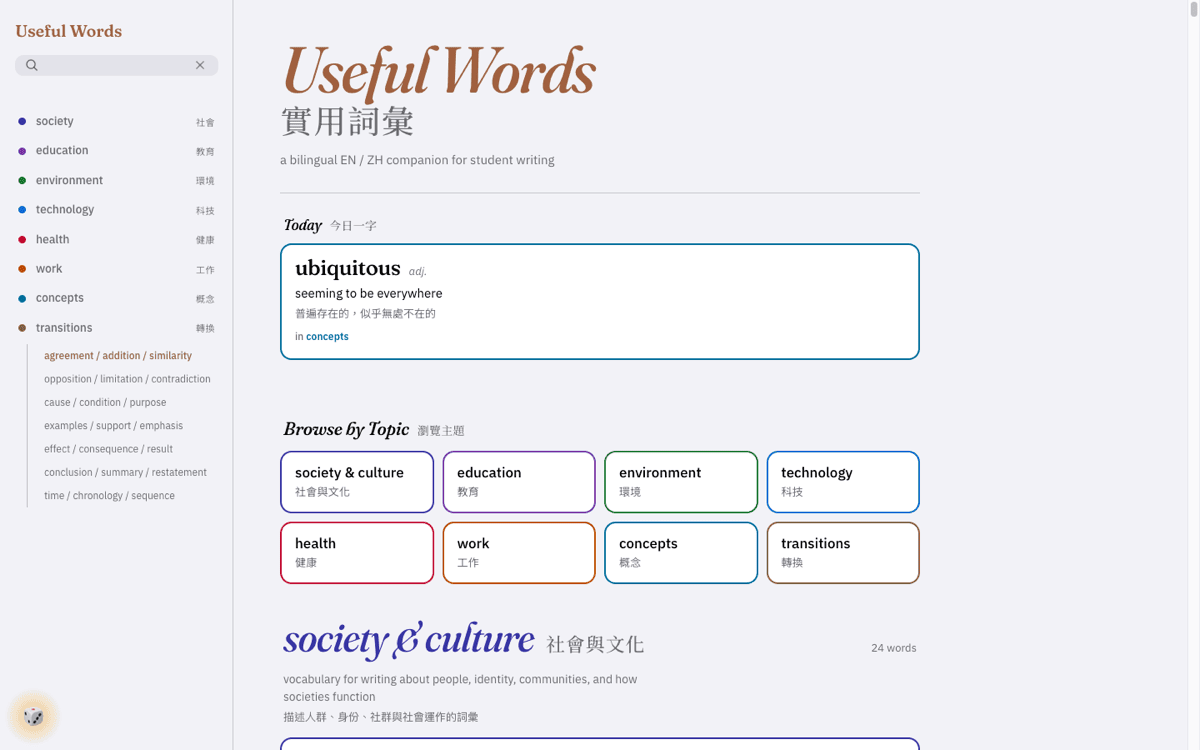
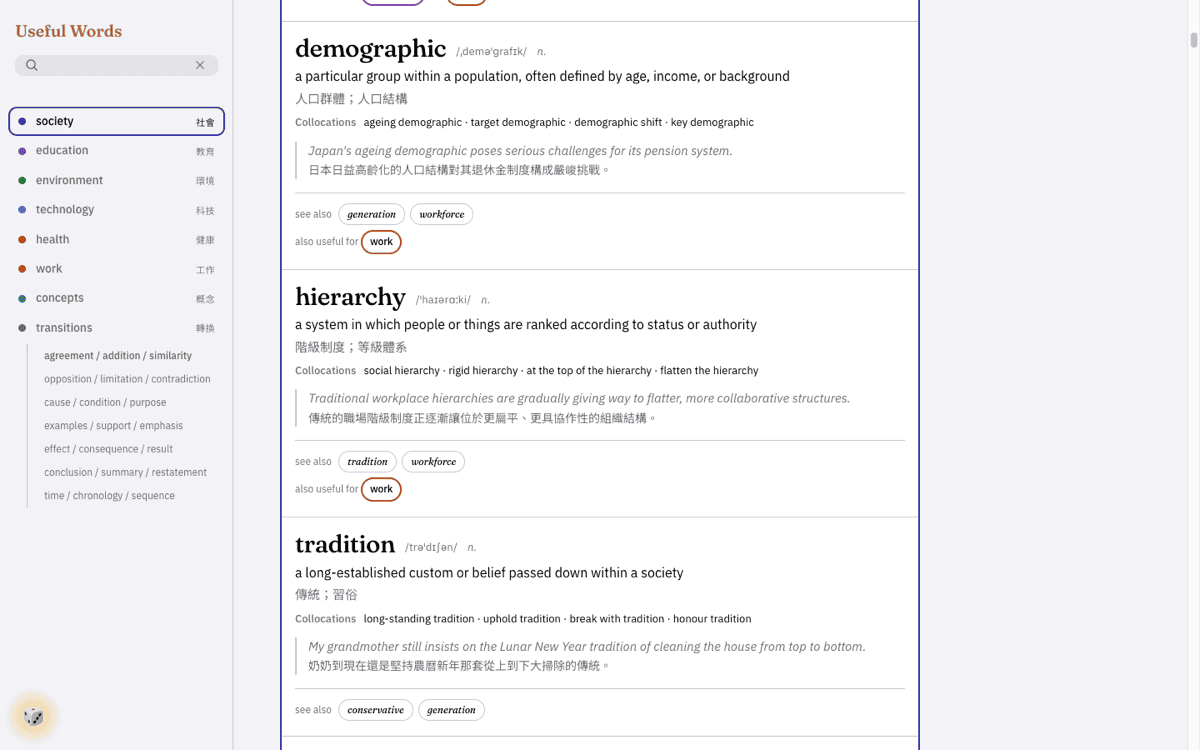
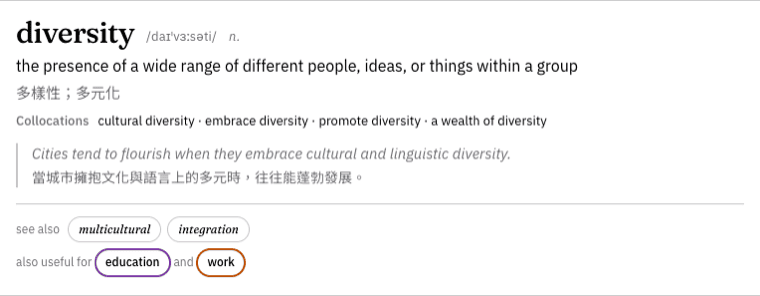
The unit is the entry, and it carries everything at once so nothing needs a second tap. Past that, the rule was that no screen should have to be read before the word is: colour does the wayfinding, search highlights the letters it matched, and because students draft on their phones, the sidebar folds into a bottom tab bar within thumb reach.
Every screen the rule was tested against 7 screens
-
-
-
-
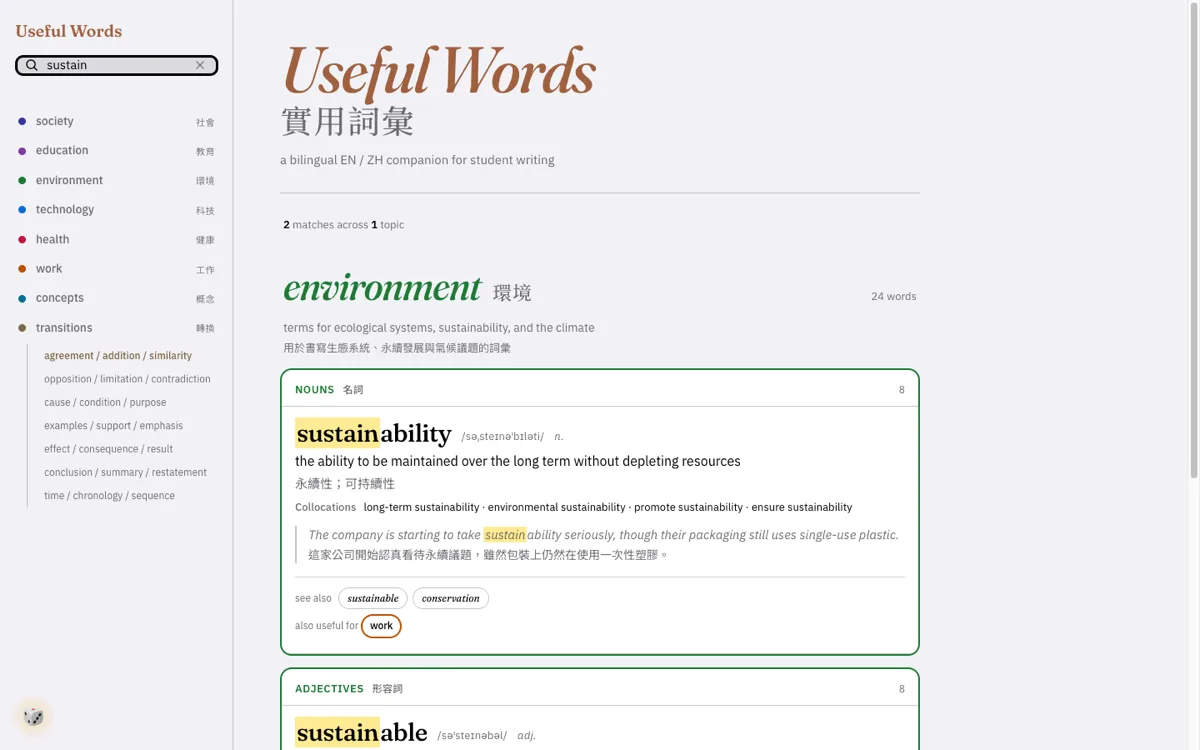 search · English
-
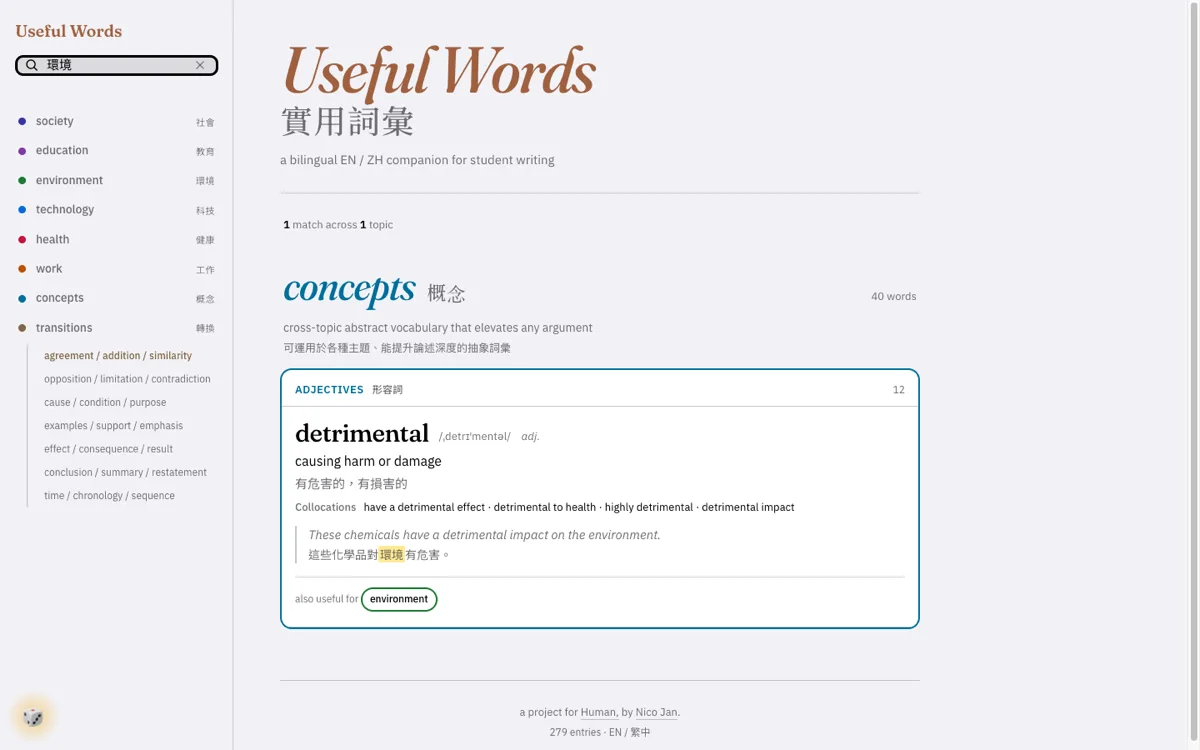 search · 繁體中文
-
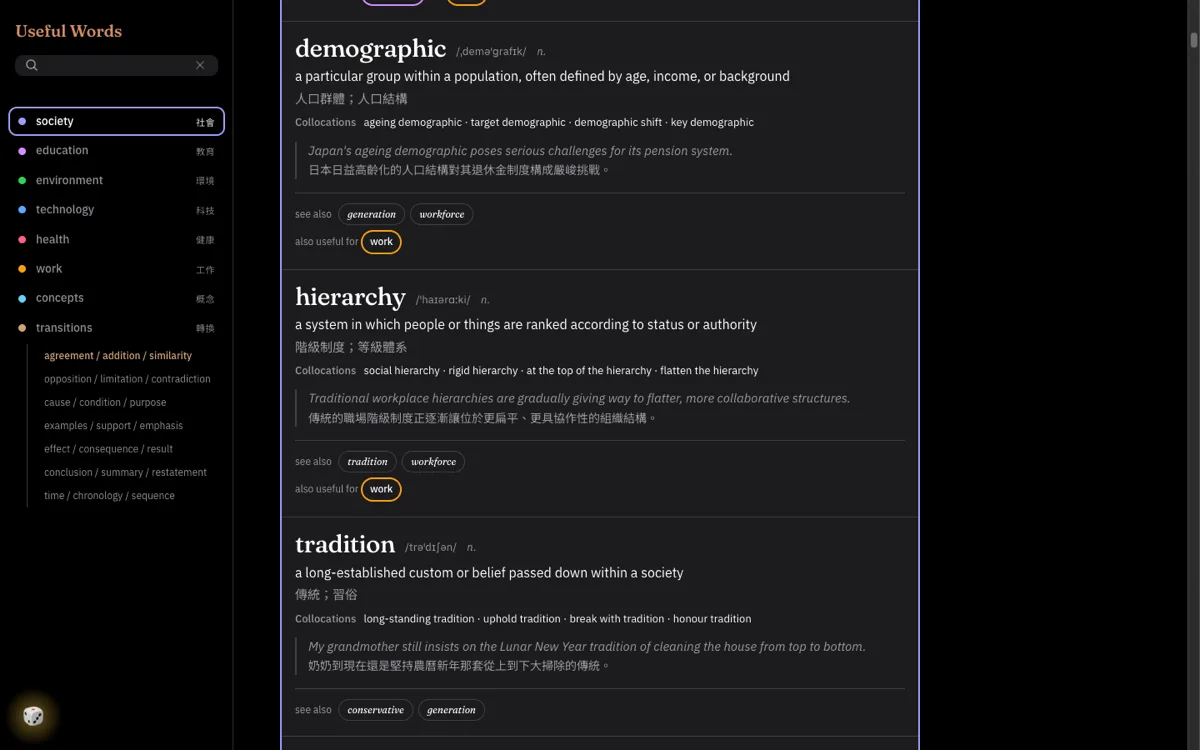 dark mode
-
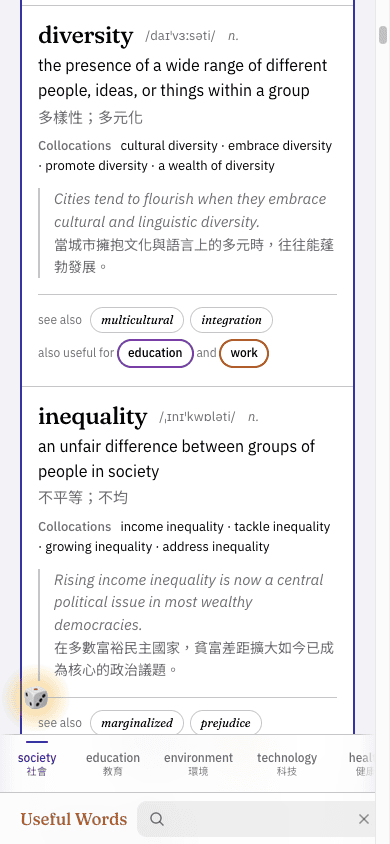


I kept the content curated, even when I let AI help rebuild it.
AI sped up the build. It never wrote the content, because a learner cannot catch a plausible-sounding mistake.
The words came out of teaching: first from materials I had written for my own classes, then checked against Cambridge exam materials. When I rebuilt the tool under Human in 2026, I used AI to move faster through the build. I did not use it to write the content. A learner has no way to tell a real word pairing from a plausible-sounding wrong one, and the cost of a confident mistake lands on the person least able to catch it.
Eight years and three rebuilds later, the index by intent is untouched.
Desktop in 2018, redesigned in 2019, mobile in 2026. Each version closed the distance to the stalled sentence.
The 2019 redesign roughly tripled the content. The change that took me longest to see had nothing to do with features. My students were not writing at a desk with an app open beside the page. They were writing on a phone, in a notes app, between other things. So the 2026 rebuild is mobile-first and lives in a browser, a click from the document.
-
2018 · desktop
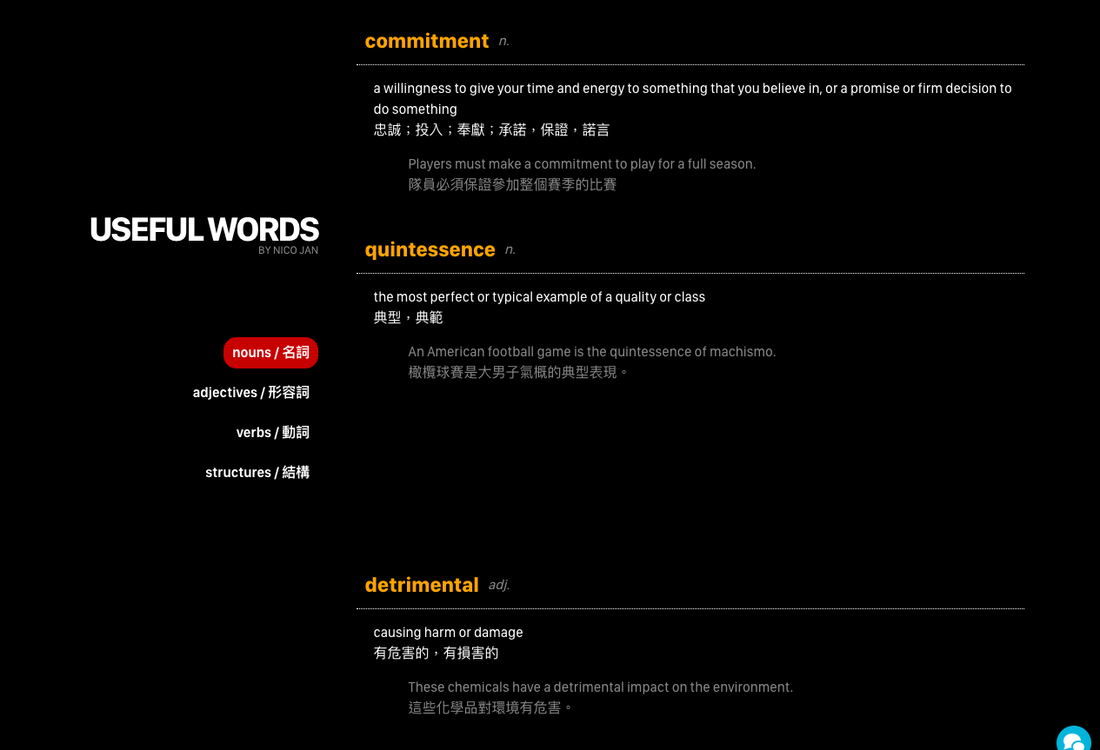
The desktop original was dark and dense. I built it from my own class materials, and even then the words were grouped by function, so a student could find a phrase by the job it did in a sentence.
-
2019 · the redesign
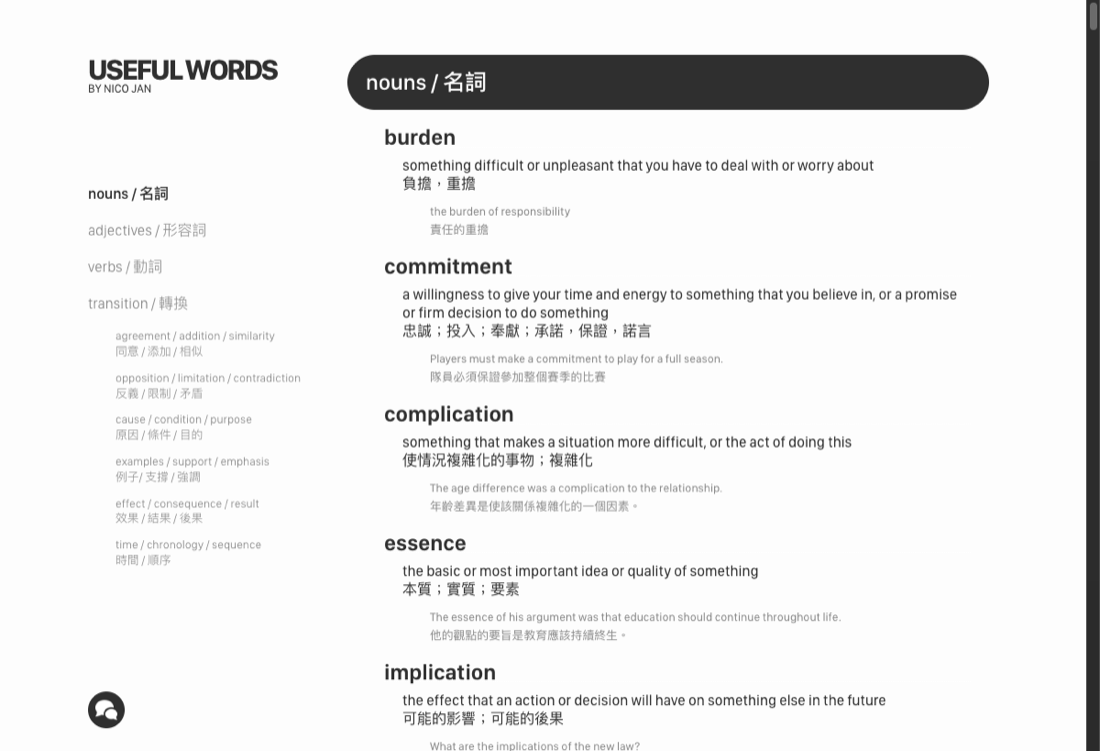
The redesign, lighter and roughly three times the size. I split the connectors into finer functional groups but kept the same way of organizing them.
-
2026 · mobile, under Human
On a phone at last, one tap from the draft. Same structure as 2018, but for the first time it lived where the writing actually happened.


A bilingual tool has to read correctly in both languages, including out loud.
Every Chinese gloss is tagged so a screen reader switches voices instead of reading it as broken English.
The bilingual text was the hardest part to get right. A screen reader meeting Chinese inside an English page tries to voice it as English and turns it to noise, so every Chinese gloss is tagged as Traditional Chinese and the reader switches voices instead of stumbling.
| the decision | what it does | who it is for |
|---|---|---|
| every gloss language-tagged | A screen reader switches voices at Traditional Chinese instead of voicing it as English and turning it to noise. | A bilingual student using a screen reader |
| skip links, visible focus ring | Opens the tab order and moves focus along a logical path, so nothing needs a mouse. | Anyone navigating by keyboard |
| a live region on results | Announces that matches came back, rather than leaving it to be guessed at. | A screen-reader user searching |
| reduced motion and dark mode honoured | Respects the system setting rather than overriding it. | Learners who find motion or glare costly |
It clears an automated WCAG 2.1 AA audit with no violations. The audit was only the baseline; what I was after was a student on a screen reader finding the next word as fast as anyone else.
Students use it to write. Then they find a use I had not planned.
The app-switching mostly stopped, and the shuffle die became a live speaking game I now use in class.
The better outcome was one I did not design. In class, the shuffle die turned into a speaking exercise: a student taps it, gets a word, and has to use it out loud, on the spot. A quiet writing reference became a game for talking, and that is now part of how I run a room.
It is not only mine now: the other teachers at Human use it, and their feedback decides the next thing I add.
What I would do differently: I built a desktop app for a problem that lived on a phone.
I built for the platform I knew. The problem lived on a phone, and it took years to follow it there.
In 2018 I shipped a desktop application, because it was the kind of thing I knew how to make. But the moment I was designing for was already happening on a phone, and before long it was happening nowhere else. It took me until 2026 to put the tool where the writing was. The container was never the value. I can still get closer than this: my students found the best use of the tool before I did.